

Key takeaways
-
Legal AI tools use artificial intelligence to automate repetitive tasks in law firms, such as drafting, research, and billing.
-
For small and mid-size firms, 8am IQ is a strong fit. It builds AI into the practice management platform, so you can draft, summarize, and translate where you already manage matters and billing.
-
The 12 tools covered are 8am IQ, Lex Machina, Briefpoint, Legalyze.ai, Luminance, Relativity aiR, Clearbrief, CoCounsel, Darrow, Billables AI, Smith.ai, and EsquireTek Alpha and Omega.
-
Legal AI tools span practice management, research, analytics, contract lifecycle management, eDiscovery, and risk intelligence. Unlike traditional AI, which follows predefined rules for specific tasks, legal generative AI is trained on large datasets and handles a broader range of work.
-
Firms often choose legal-specific AI built into the software they already use, rather than separate consumer apps. Vet any tool for integrations, security certifications like SOC 2 or ISO-27001, and a clear policy on AI training data.
It’s no surprise that AI is changing how law firms operate. After all, legal AI tools make it easier for lawyers and legal professionals to automate tasks, reduce administrative work, and increase efficiency and productivity.
The 8am™ 2026 Legal Industry Report found that 69% of legal professionals now use general-purpose AI tools like ChatGPT or Claude at work (up from 31% in 2025), and 42% use legal-specific AI tools. Among legal-specific users, the top tasks are legal research (58%), drafting documents (49%), and summarizing documents (47%).
Disclosure : 8am, the publisher of this article, makes 8am IQ, the AI built into MyCase, which is listed first below, as well as MyCase and CasePeer. The other tools are made by third parties. The order of the list is not a ranking of quality, and descriptions of third-party products are based on publicly available information as of the date of publication. Mention of a third-party product is not an endorsement. This article is for informational purposes only and is not legal advice.
Picking the right tools can be confusing. This guide spotlights the 12 best legal AI tools from leading legal AI companies.
For more insights across everything from AI ethics to legal research to firm productivity, explore our AI for Law Firms Resource Center for the full library of expert articles.
| Tool | Category | Best for | Firm size | Pricing model | MyCase integration |
| 8am IQ | AI law practice management (LPM) | AI inside your case management system | Solo to mid-size | Included with MyCase Advanced | Built into MyCase |
| Lex Machina | AI legal analytics | Litigation strategy and judge analytics | Mid-size to large | Custom subscription (quote) | None listed |
| Briefpoint | AI legal writing and document review | Discovery responses and objections | Solo to mid-size | Per-attorney subscription | Yes |
| Legalyze.ai | AI legal writing and document review | Medical chronologies from records | All sizes | Monthly plans by pages reviewed | Yes |
| Luminance | AI contract lifecycle management (CLM) | Contract review and due diligence | Large firms and in-house teams | Custom enterprise quote | None listed |
| Relativity aiR | AI eDiscovery | Large-scale document review and privilege | All sizes | Usage-based (data volume, per document) | None listed |
| Clearbrief | AI legal writing and document review | Evidence-linked briefs and cite checking | Solo to large | Per-user subscription | Yes |
| CoCounsel | AI legal research | Research, drafting, and contract analysis with citations | Solo to large | Per-user subscription (quote) | None listed |
| Darrow | AI legal risk intelligence | Finding and screening plaintiff-side cases | Plaintiff firms, mid-size to large | Custom subscription; PlaintiffLink on contingency | None listed |
| Billables AI | AI time tracking | Automatic time capture and billing narratives | Solo and small | Per-user monthly subscription | Yes |
| Smith.ai | AI receptionists and intake | 24/7 call answering and lead intake | Solo and small | Monthly plans priced per call | Yes |
| EsquireTek Alpha and Omega | AI eDiscovery | Written discovery, DIY (Alpha) or managed (Omega) | All sizes (Omega: personal injury firms) | Alpha: plans; Omega: per set of discovery | Yes |
1. 8am IQ for MyCase
Category: Legal writing and document AI
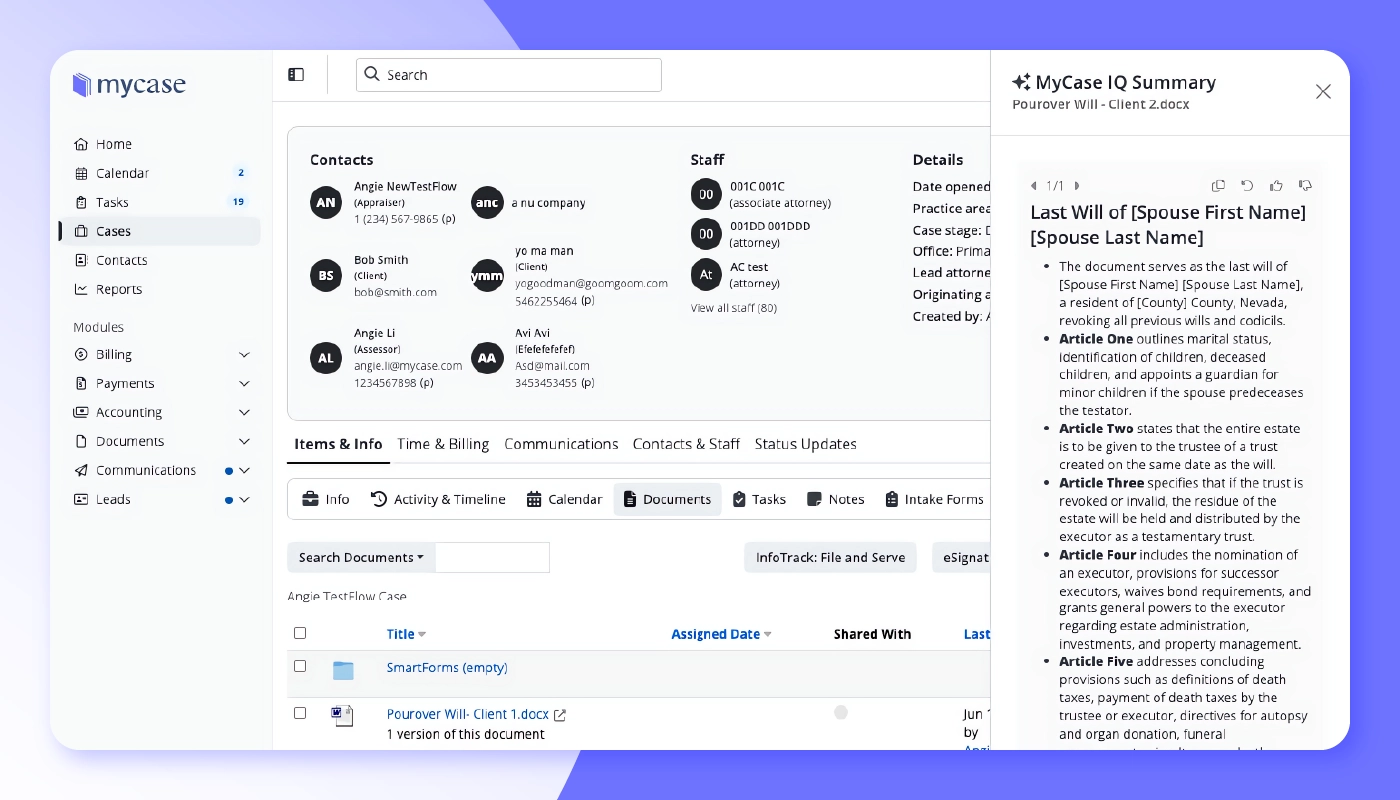
8am IQ for MyCase is AI built into MyCase, the system of record where your firm already manages matters, documents, billing, and client communication. It works from your firm’s own case data, not the open web, so each summary and answer is designed to link back to a source document your team can verify. It’s built for solo to mid-size firms that want legal AI inside their practice management software, not a separate app to vet and keep in sync.
Four assistants handle everyday casework, and the MyCase MCP extends MyCase data to Claude. Data is encrypted in transit (TLS 1.2+) and at rest (AES-256), and every assistant follows the permissions already set in MyCase. As with any AI tool, output can contain errors, so attorneys should review it before relying on it, and translations should be checked by a qualified translator before use in court.
Capabilities:
-
Case Assistant : Builds case summaries and timelines from filings, notes, and discovery. It also searches across notes, filings, messages, and scanned files, with citations back to the source.
-
Document Assistant : Summarizes contracts, pleadings, and scanned PDFs, highlights key clauses, parties, and deadlines, and saves summaries in the case workspace.
-
Writing Assistant : Polishes tone and grammar in emails and notes, rephrases dense language into client-ready copy, and translates correspondence, contracts, and filings.
-
Discovery Assistant (OCR) : Converts scanned PDFs, images, and handwritten notes into searchable text, so the other assistants can work with them.
-
MyCase MCP for Claude : Allows Claude to retrieve case details, deadlines, and firm financials from live MyCase data without requiring exports.
2. Lex Machina
Category: AI legal analytics
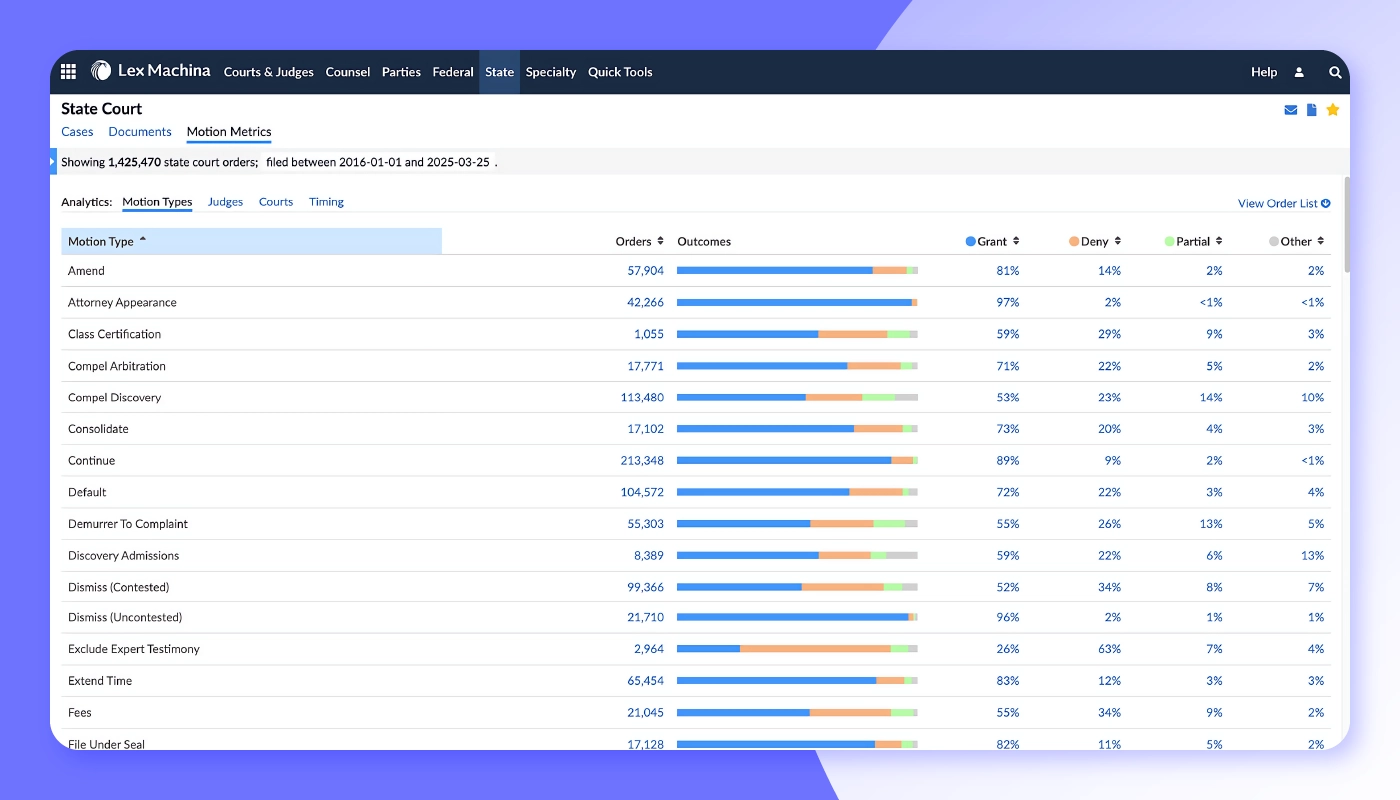
Lex Machina , a LexisNexis company, turns raw docket data into strategic intelligence. Its Legal Analytics platform parses millions of federal and state court filings, then maps outcomes, damages, and motion histories to every judge, party, and opposing counsel.
The newest upgrade, Protégé, layers generative AI on top of that data, allowing lawyers to type a plain-language prompt and receive an instant answer with citations to verify.
Without losing valuable time to manual research, you can walk into court knowing how often your adversary settles, which arguments tend to sway a judge, and what damages similar plaintiffs have secured. The result is sharper risk assessment, more persuasive pitches, and smarter resource allocation.
Capabilities:
-
Protégé generative analytics, natural-language queries that surface targeted litigation data on demand.
-
Judge and court dashboards that reveal ruling tendencies, time-to-trial averages, and motion success rates.
-
Counsel and party comparisons to gauge an opponent's track record and settlement behavior across jurisdictions.
-
Outcome and damages models that predict likely case trajectories and financial exposure using historical analytics.
3. Briefpoint
Category: AI document drafting
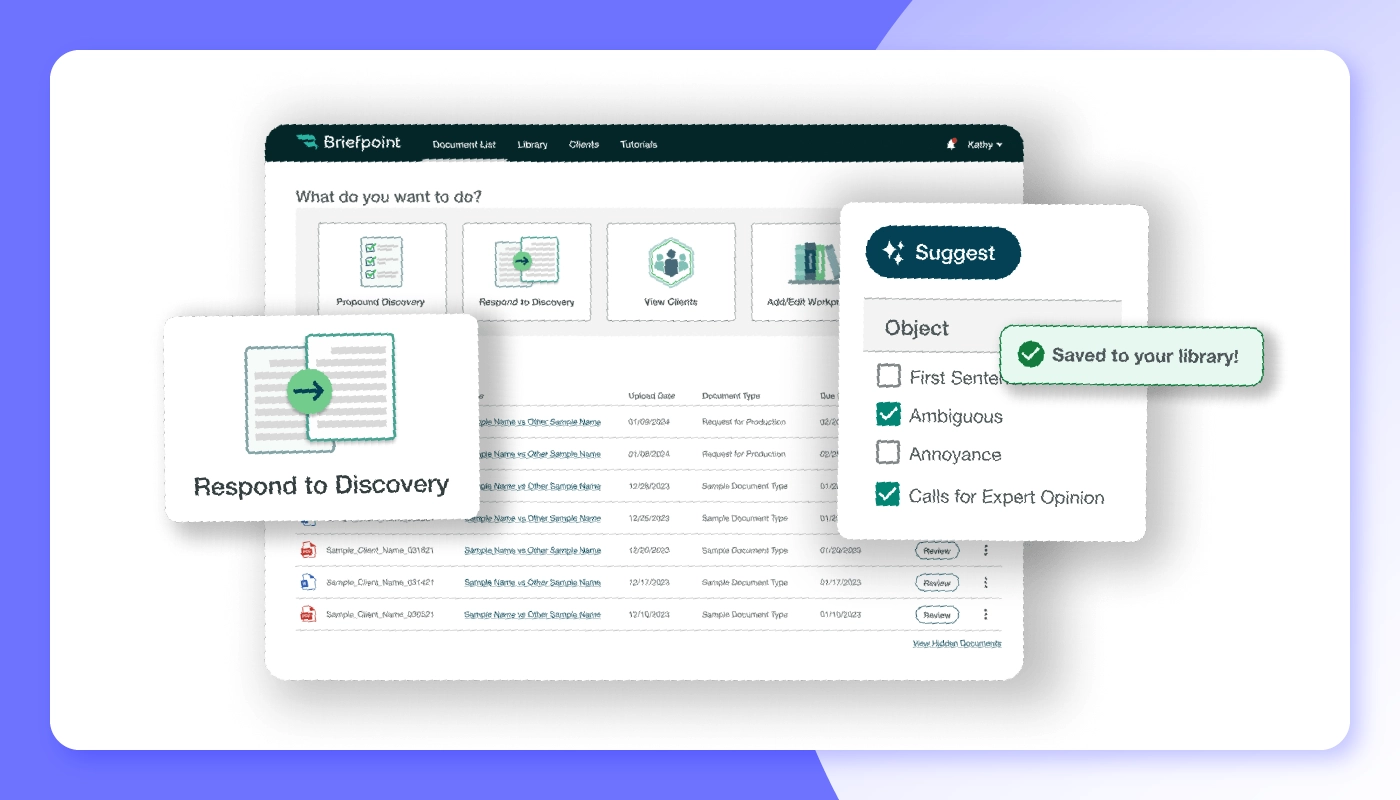
Briefpoint is an AI tool for legal drafting and responding to discovery. Instead of retyping boilerplate objections and formatting everything by hand, attorneys simply upload the opposing party's requests. Briefpoint's machine learning engine then creates a first draft, complete with jurisdiction-specific formatting and commonly used objections.
Briefpoint can also take your case file and opposing counsel’s discovery, and will generate a court-formatted Word document response, complete with objections, substantive responses, and, for requests for production, Bates-stamped production packages. Any answers that could not be derived from the uploaded case files will be flagged.
Capabilities:
-
Upload any discovery request and receive a fully drafted response, objections included, in minutes.
-
Auto-extracts court names, case numbers, and request types to reduce manual data entry.
-
Applies local court formatting rules and numbering to help documents meet local formatting standards.
-
Exports to Microsoft Word for final edits, redlines, or e-signature workflows without breaking formatting.
-
Flags unanswered questions and collects client responses and documents through a secure, mobile-friendly portal.
-
Turns your past responses into a playbook that applies your objection strategy consistently across matters.
4. Legalyze.ai
Category: AI medical document review
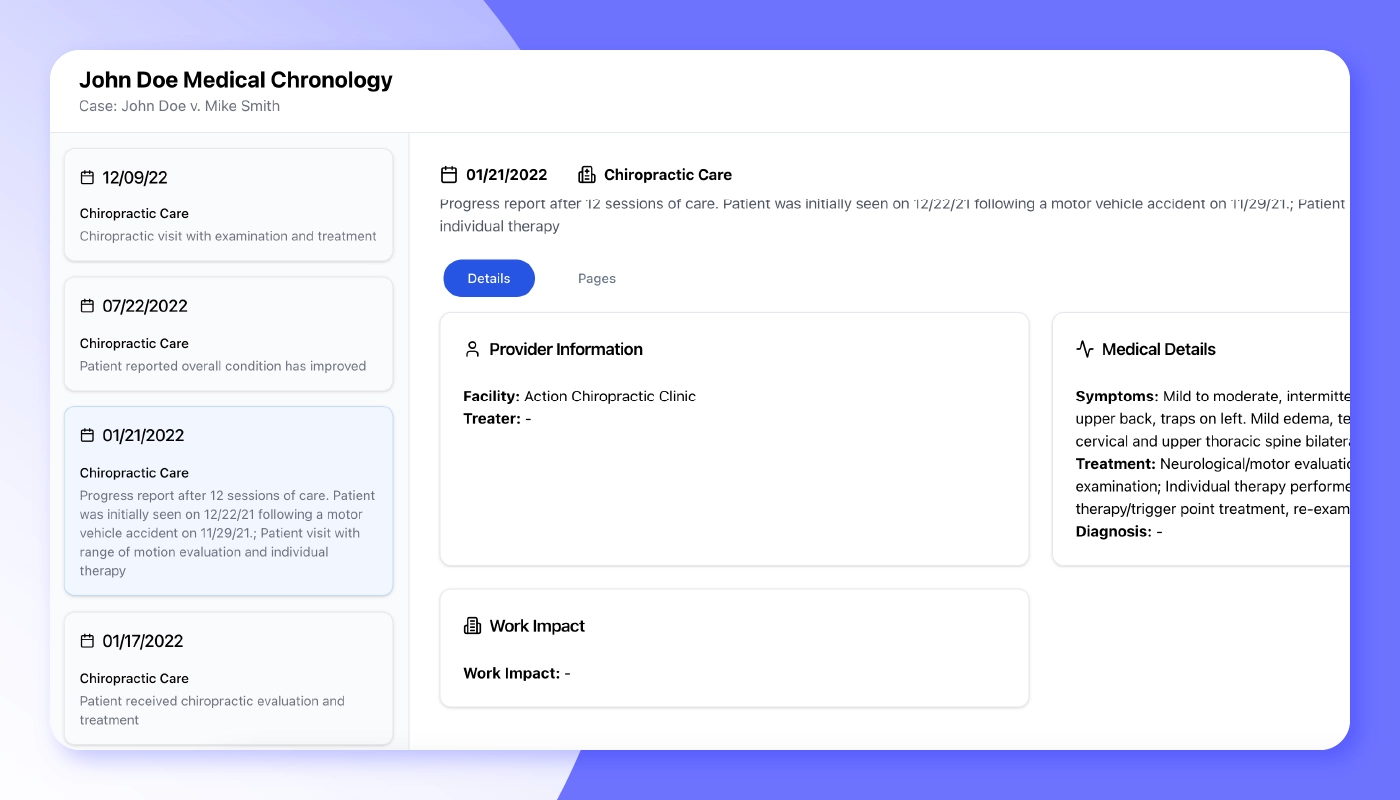
Legalyze.ai reviews thousands of pages of medical records in personal injury, insurance, and med-mal cases. Its cloud platform builds an AI-generated medical chronology, medical billing summary, and demand letter. Since each event is designed to link back to the exact page in the source PDF, you can trace injuries, treatments, and gaps in care without hours of manual cross-referencing. Attorneys should still verify medical facts and demand figures before relying on them.
Legalyze integrates with leading case management solutions like MyCase and CasePeer, helping keep records and chronologies synced so your firm doesn't waste time shuffling through exports. Beyond speed, Legalyze.ai acts like a bespoke legal AI chatbot for your case files. You can ask plain-English questions and receive answers with pinned citations. Tight integrations with leading case-management systems, including MyCase and CasePeer, help keep records and chronologies synced so your firm doesn't waste time shuffling exports.
Capabilities:
-
Medical billing summaries that total charges, payments, adjustments, and balances by provider, and flag duplicate bills so they don’t inflate your specials.
-
AI medical chronologies that are designed to put every visit across ER, imaging, PT, and specialist records in date order, with each entry linked to its source page so you can spot gaps in care and verify facts in one click.
-
Demand letters drafted from the chronology and billing summary, with numbered citations, so the numbers in the demand match the bills.
-
Ask questions about your records in plain English and get answers cited to the exact page in seconds.
5. Luminance
Category: AI contract lifecycle management
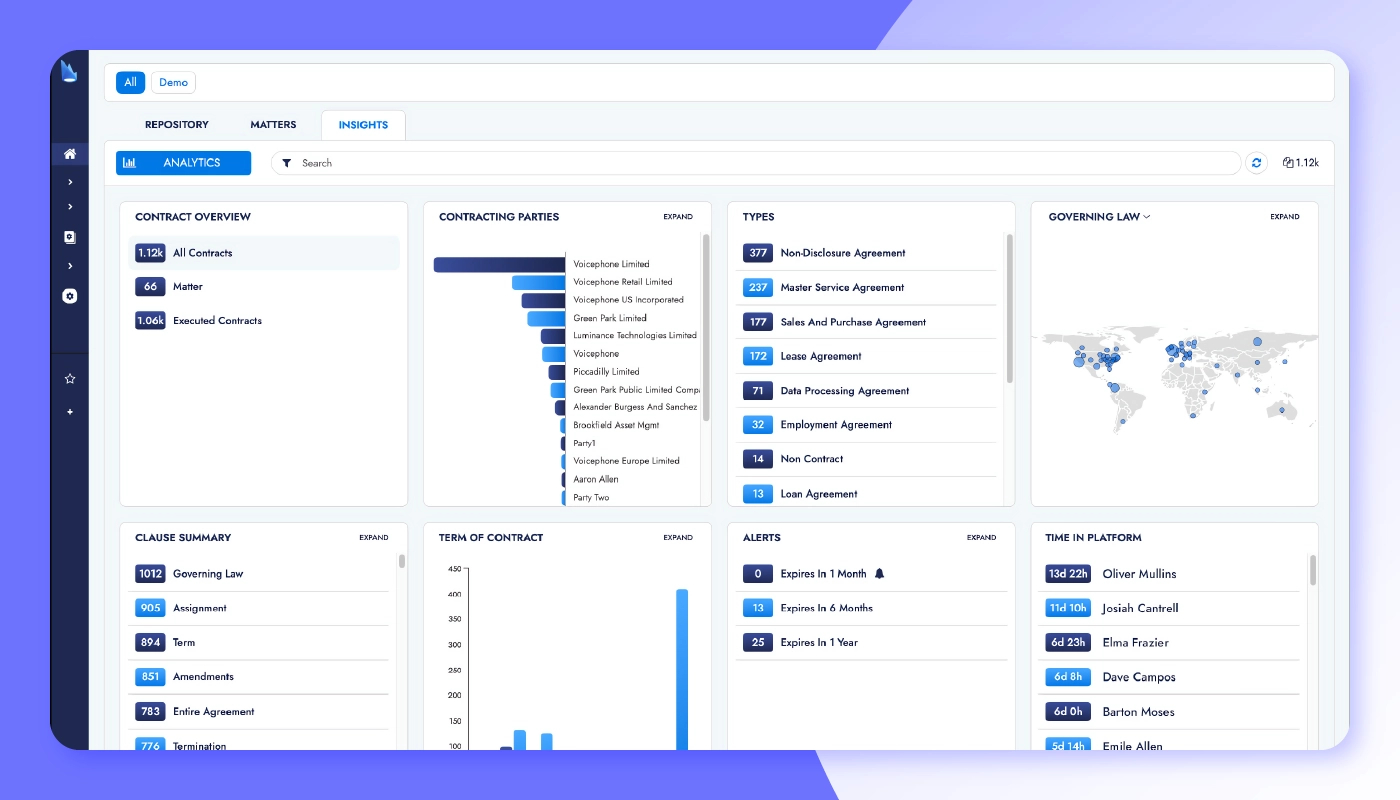
Luminance is a UK-based pioneer in legal contract AI tools, trusted by 1000+ organizations to automate every touchpoint a business has with its contracts. Its proprietary Legal-Grade AI uses a "mixture-of-experts" model to understand language, identify risk, and keep deals moving.
The platform includes three modules:
-
Corporate brings first-pass review and automatic markup into Microsoft Word.
-
Diligence detects anomalies across 1,000+ clause concepts for quick rep-and-warranty checks.
-
Discovery layers AI-powered search, technology-assisted review, and automatic PII redaction onto large data sets.
Capabilities:
-
First-pass contract analysis and auto-markup inside Microsoft Word, with suggested edits and issues.
-
AI chatbot for Q&A and automated redrafting, turning plain-language prompts into draft clauses ready for attorney review.
-
Anomaly detection across 1,000+ pre-built clause concepts to surface hidden risks in seconds.
-
Automatic clause compliance, PII detection, and redaction, plus visual dashboards to track review progress.
6. Relativity aiR
Category: AI eDiscovery
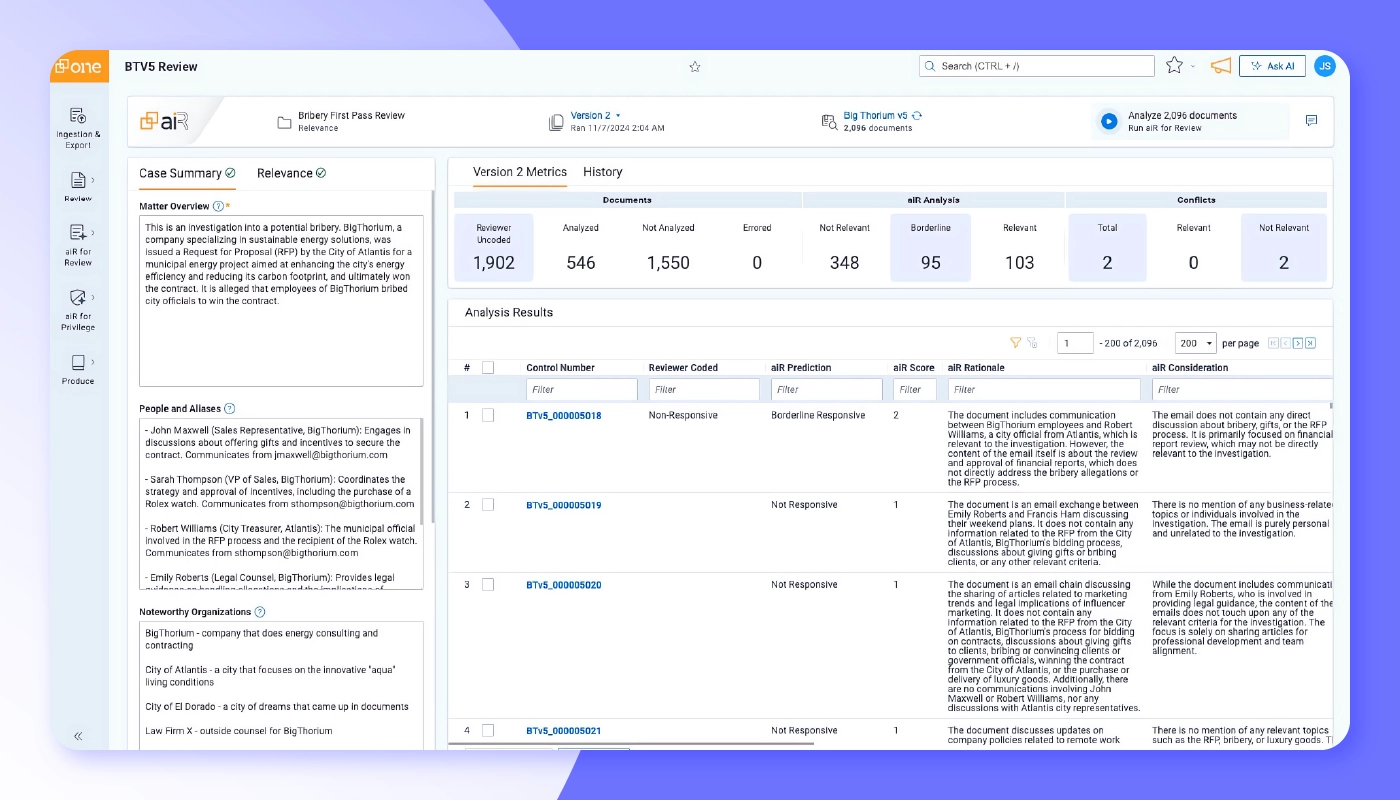
Relativity aiR is the generative AI layer inside RelativityOne, designed to push eDiscovery review, privilege calls, and production prep from days to hours. By pairing large language model insight with Relativity’s existing analytics, aiR can classify millions of documents, explain its reasoning, and surface the few that truly matter.
Relativity has begun rolling out purpose-built aiR modules, including aiR for Review, aiR for Privilege, and aiR for Translation—each tuned to a specific discovery pain point. Users can ask natural-language questions and receive answers with highlighted passages and transparency into why the model chose them.
Capabilities:
-
Generative review accelerator that groups, ranks, and summarizes responsive documents so attorneys see what matters first.
-
Privilege prediction and log drafting via aiR for Privilege, cutting hours from privilege review and log creation.
-
Continuous active learning to refine relevance predictions in real time as reviewers make coding decisions.
-
Built-in multilingual translation and sentiment analysis, eliminating the need for separate translation vendors or plug-ins.
7. Clearbrief
Category: AI legal analytics
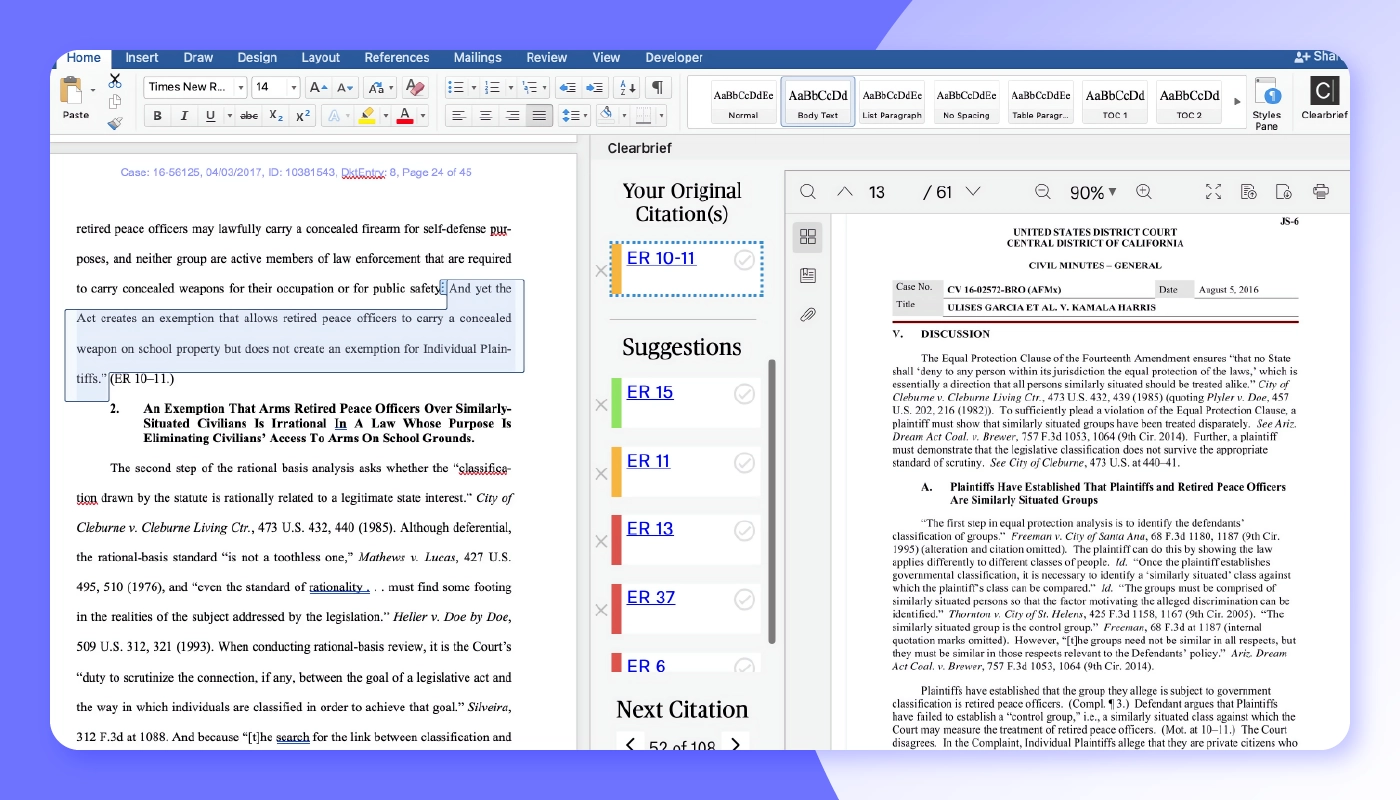
Clearbrief uses AI to match every assertion in a brief or motion with the exact page of supporting evidence.
Litigators can highlight a sentence within Microsoft Word, and Clearbrief instantly pulls the best proof, such as depositions, medical records, and emails, and inserts a hyperlink.
Because Clearbrief integrates with repositories such as Relativity, iManage, and NetDocuments, firms can drag-and-drop discovery, verify citations, and generate a filing-ready PDF (with exhibits and a Table of Authorities) in a single workflow. The result is persuasive, evidence-rich filings with fewer late-night cite checks.
Capabilities:
-
Highlight any sentence and surface the strongest supporting document, with live hyperlinks back to the source.
-
Flags uncited or weakly supported statements and suggests stronger evidence or case law.
-
Generates fact chronologies, hyperlinked PDFs, and ready-to-file Tables of Authorities in minutes.
-
Syncs with Relativity, iManage, NetDocuments, and select practice-management tools to keep discovery and drafts in step.
-
Integrates with MyCase to automate legal brief writing and discovery analysis.
8. CoCounsel
Category: AI legal assistant
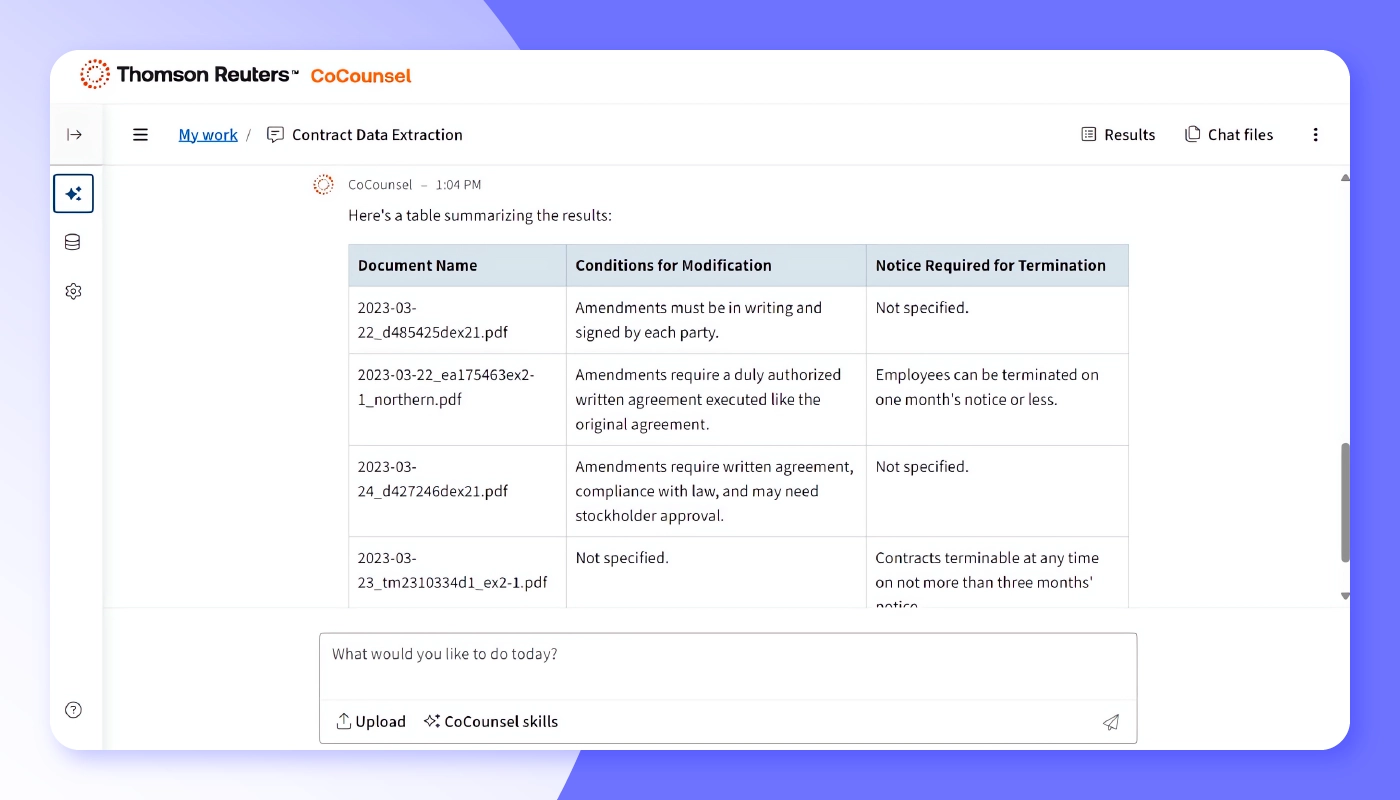
CoCounsel is Thomson Reuters' professional-grade AI assistant, built on the content libraries of Westlaw and Practical Law. Lawyers can delegate complex research, drafting, and comparison tasks to the assistant and receive citation-backed results that trace every conclusion to its primary sources, allowing attorneys to verify them.
Plus, agentic capabilities, such as multistep workflows, move from goal to finished work product with human oversight. It mirrors the broader rise of the chatbot trend in law firms.
CoCounsel's modules handle everything from deposition analysis to policy generation, giving firms more bandwidth without adding headcount.
Capabilities:
-
Natural-language research across Westlaw, Practical Law, and firm documents returned with pinpoint citations.
-
Drafting and contract-analysis skills that convert prompts into polished memos, policies, or redlined agreements.
-
Agentic workflows that string together multiple tasks, like reviewing documents, extracting issues, and drafting a summary, under one command.
-
Secure Microsoft 365 integration so attorneys can invoke CoCounsel inside Word, Outlook, and Teams without leaving their workspace.
9. Darrow
Category: AI legal risk intelligence
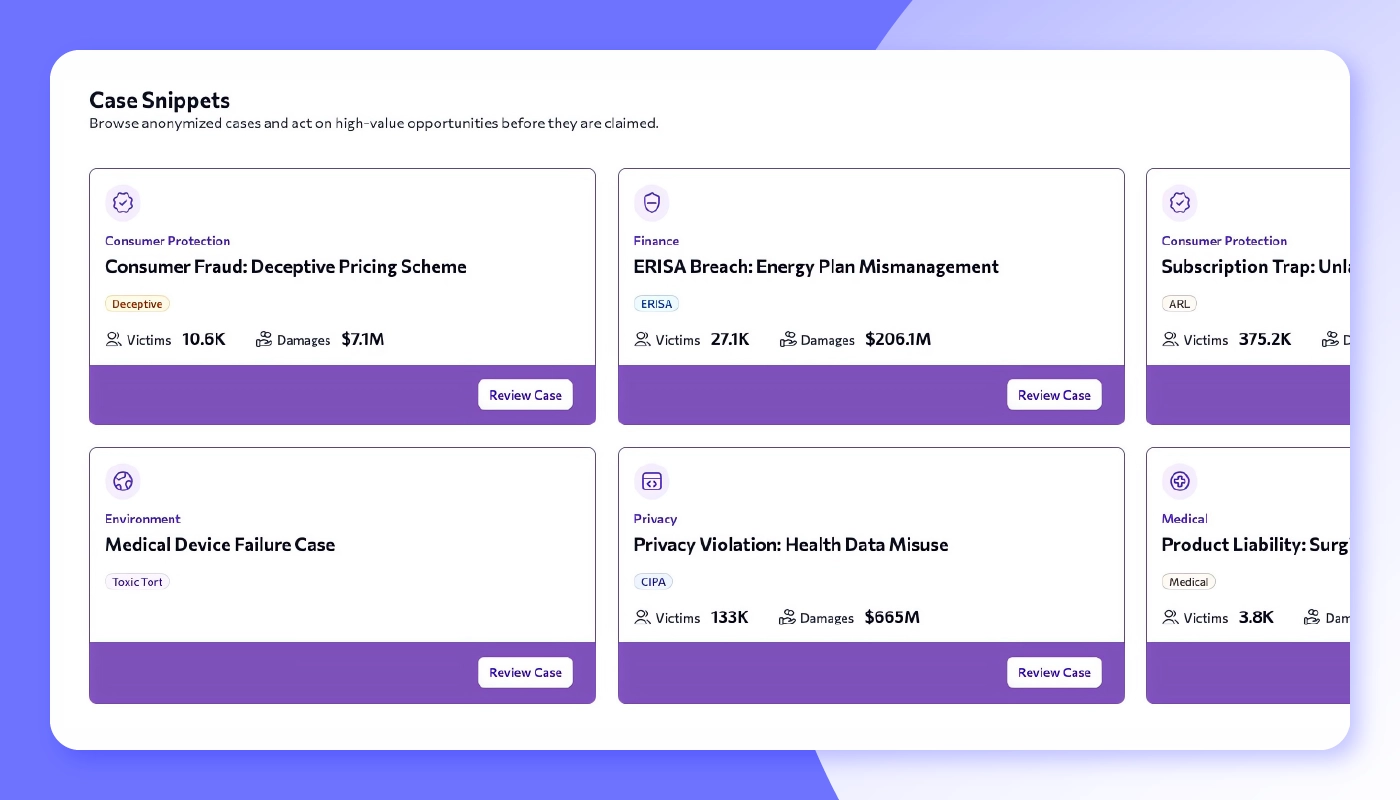
Darrow ’s Legal Intelligence Platform scans news, regulatory filings, consumer complaints, and financial data to surface patterns of harm.
The platform is organized into three modules:
-
Insight monitors public data to flag emerging legal risks.
-
PlaintiffLink matches qualified claimants to your firm in days (not months).
-
Enterprise delivers proactive compliance intelligence for in-house legal teams.
Together, these tools shorten the business-development cycle and replace guesswork with data-backed case selection.
Capabilities:
-
Real-time violation detection across news, regulatory dockets, and consumer-complaint databases, pinned to specific statutes and jurisdictions.
-
Automated damages and class-size estimates that help firms gauge potential recovery before investing resources.
-
PlaintiffLink campaigns that source, qualify, and onboard claimants via targeted digital outreach, then feed them straight into your intake workflow.
-
Practice-area dashboards with precedent analytics and risk scoring to prioritize the most winnable, highest-impact cases first.
10. Billables AI
Category: AI time tracking
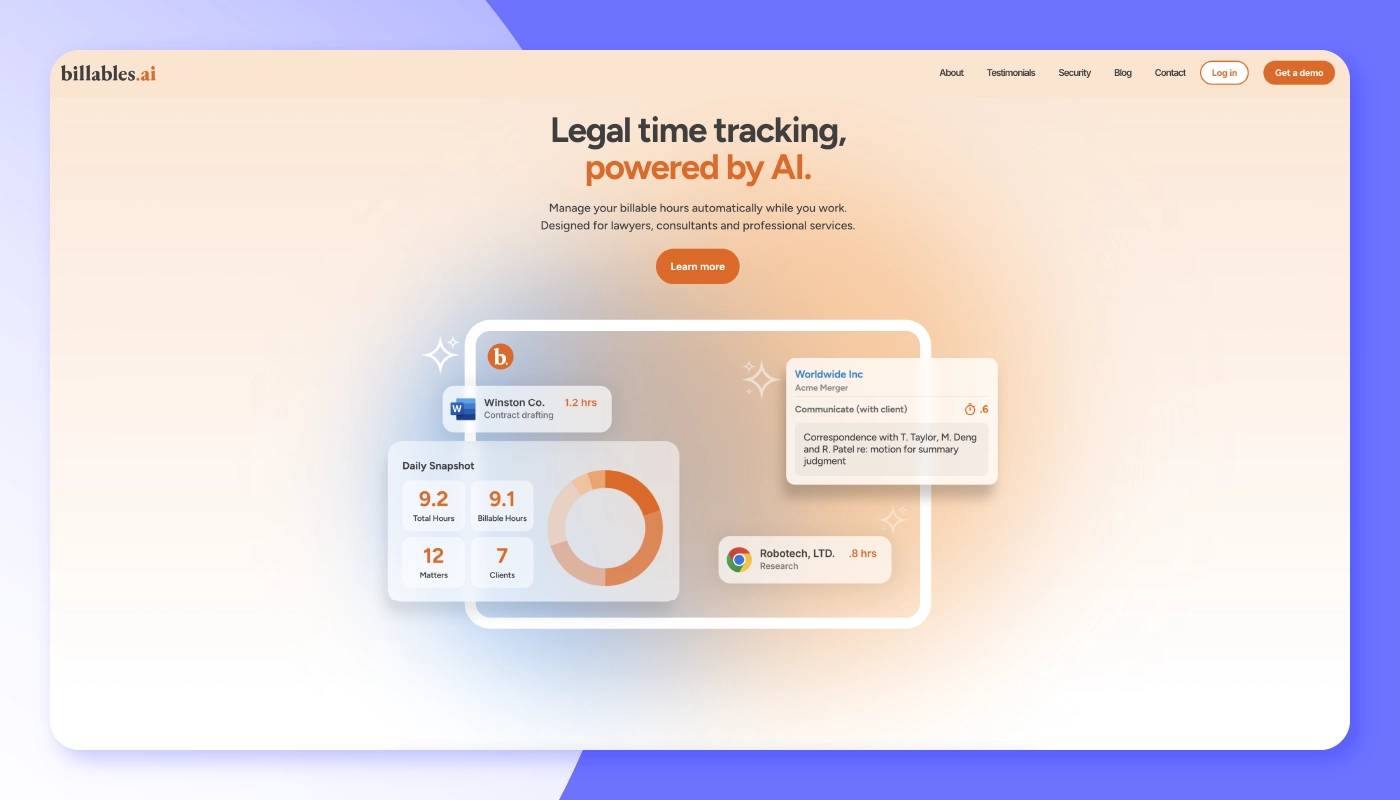
Billables AI captures billable activity from the tools attorneys already use, including email, calendar, documents, and calls, and turns it into a daily report of draft time entries. The platform uses AI to match work to client matters and draft narrative descriptions, and it adapts to each user’s style over time. Attorneys review and approve entries before they sync to the firm’s billing system. Firms should review AI-generated narratives before billing and confirm that the automatic capture of client communications complies with their confidentiality obligations.
Billables AI has an official integration with MyCase and also connects with Clio, Filevine, Litify, SurePoint, Centerbase, and LeanLaw. It works with Microsoft tools such as Outlook, Teams, Word, and SharePoint, as well as Google Calendar, Google Meet, and Chrome. The MyCase integration syncs your clients and matters so that entries are matched to the right case, and approved entries are exported to MyCase for invoicing.
Capabilities:
-
Automatic time capture from email, meetings, calls, and document work, compiled into a daily report.
-
AI-drafted narratives that learn each user’s writing style. Billables AI and its partner Litify report up to 90% less time spent on narrative drafting (vendor-reported; results may vary).
-
Matter-aware syncing with MyCase, with attorneys reviewing and approving entries before a one-click export.
-
Dashboards showing time by user, client, and matter, billable vs. non-billable hours, and the status of approved, pending, and incomplete entries. Billables AI reports that firms capture 10–30% more billable time (vendor-reported).
11. Smith.ai
Category: AI receptionists and intake
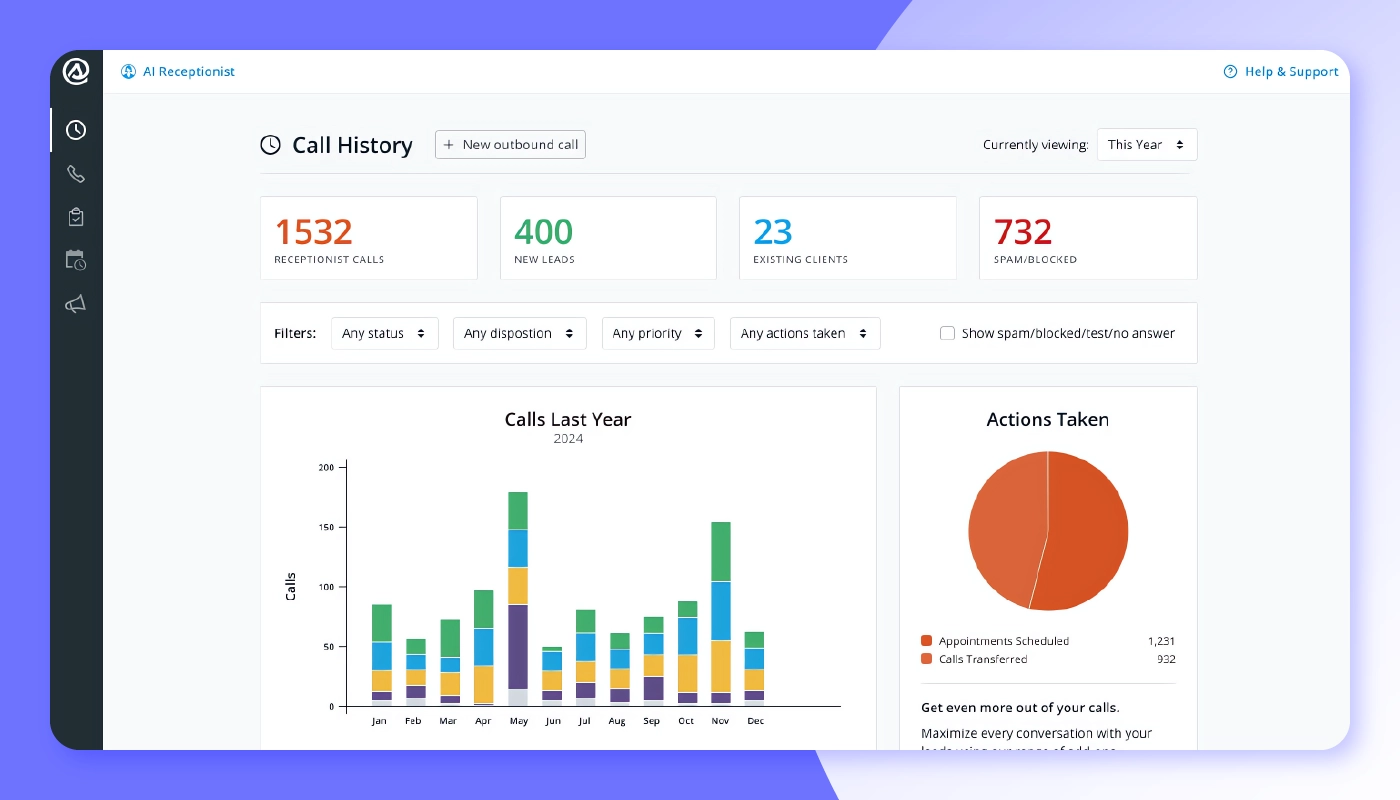
Smith.ai combines AI with live human receptionists so fewer potential clients reach voicemail. Its AI Receptionist answers calls around the clock, screens leads, and books consultations. When a call needs a person, such as a complex intake or a sensitive conversation, Smith.ai’s North American-based live receptionists can take over. Firms choose all-human, all-AI, or a hybrid of the two.
Smith.ai integrates with the practice management and CRM tools law firms already use, so call details, intake answers, and appointments land where your team works.
Add bilingual agents, outbound callback campaigns, and detailed analytics, and Smith.ai becomes a 24/7 business development engine rather than a simple answering service.
Compliance note : Outbound callbacks, texts, and AI-voiced calls are regulated by the Telephone Consumer Protection Act (TCPA) and by state telemarketing laws. Calls or texts made with an autodialer or an artificial or prerecorded voice generally require the recipient's prior express consent, and marketing messages generally require prior express written consent. The FCC has ruled that AI-generated voices count as artificial voices under the TCPA. Firms should also honor opt-out requests, screen numbers against national and state Do Not Call lists, and respect calling-hour limits. Before launching outbound campaigns, confirm how your firm captures and stores consent, ask Smith.ai how its service supports these requirements, and check your state bar's rules on lawyer advertising and solicitation. This is general information, not legal advice.
Capabilities:
-
24/7 AI call answering that screens leads and books consultations, with handoff to live receptionists for complex calls.
-
Live human receptionists for detailed intake, warm transfers, and payment collection.
-
Website chat that qualifies leads, answers FAQs, and routes prospects into your intake pipeline.
-
Integrations with MyCase, Lawmatics, and more to push every interaction into your intake workflow automatically.
-
Dashboards showing call outcomes, booking rates, and AI quality.
12. EsquireTek Alpha and Omega
Category: AI legal discovery
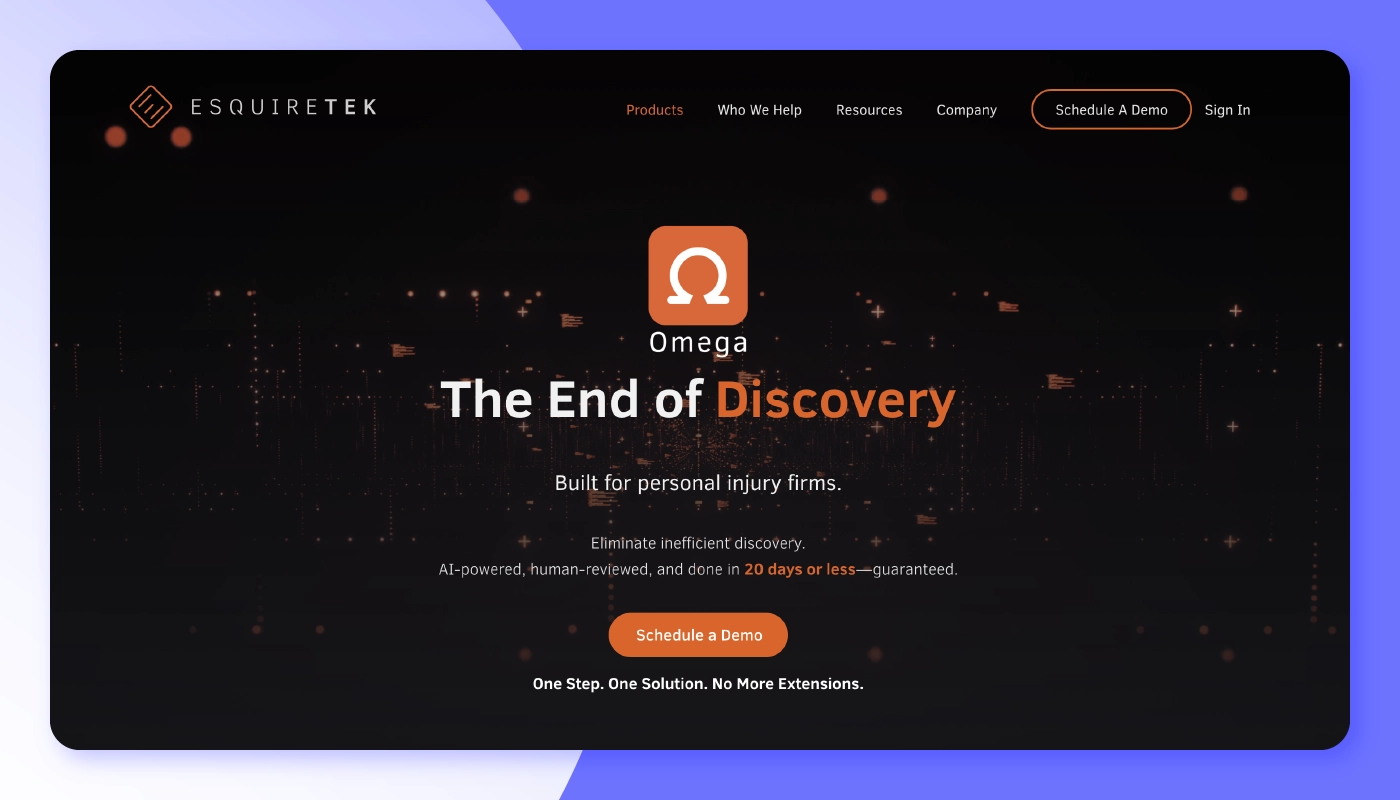
EsquireTek offers Discovery as a Service through Omega, a done-for-you written discovery service built for personal injury and employment law firms.
A dedicated EsquireTek team, supported by proprietary AI that learns each firm’s preferences, handles client outreach and drafts responses and objections. The team also prepares medical chronologies, Howell charts, and Bates-stamped exhibits. Every client call is recorded and transcribed so attorneys can hear answers firsthand, and translation services are available. The packet arrives ready for attorney review within 25 days.
Capabilities:
-
A dedicated team handles client outreach, response drafting, and objections, with no staff training required.
-
Client calls are recorded with searchable transcripts, and translation services are available for clients who don’t speak English.
-
Proprietary AI learns your firm’s preferences and style.
-
Responses, medical chronologies, Howell charts, and Bates-stamped exhibits are delivered within 25 days.
-
A discovery analysis report flags missing records and potential red flags, and highlights green flags that strengthen the case.
-
Includes Alpha, EsquireTek’s self-service discovery workspace. Its AI scans discovery requests, builds a response shell in 60 seconds, and offers one-click objections and automated client communication. Firms use Alpha for supplemental responses and propounding discovery.
-
EsquireTek’s discovery tools sync case and document data with MyCase.
Learn how EsquireTek integrates with MyCase .
Why should lawyers use legal AI tools?
Legal AI tools help you turn routine work into reclaimed billable hours, sharper accuracy, and faster client service. They also support consistency by automatically applying citation rules, style guidelines, and privilege checks, reducing human slip-ups that lead to costly do-overs.
Here’s a closer look at the benefits of using strong legal AI tools:
-
Increases productivity: 61% of legal professionals who use generative AI report saving time each week, including 38% who save one to five hours and 23% who save six or more, according to the 8am 2026 Legal Industry Report .
-
Boosts client satisfaction: Faster turnaround and more predictable pricing signal modern, tech-savvy service.
-
Levels the playing field: Smaller firms can wield analytics and drafting power once reserved for large corporate practices.

How can law firms choose the best legal AI tools?
To choose the best legal AI tool, start by identifying your firm’s real problems. Then, pressure-test cost, credibility, and compatibility before you buy.
For example, general-purpose AI tools like ChatGPT can be helpful for simple tasks like drafting correspondence. However, many of these tools may lack citation rigor, security safeguards, or integrations with the systems you already use, which can lead to AI-related legal issues . To minimize risk, lawyers using ChatGPT should exercise caution and search for tested legal prompts.
The best legal AI software fills those gaps by offering authenticated sources, audit trails, and practice management plug-ins that consumer apps simply don’t offer. Firms can invest confidently by following a structured vetting process:
-
Vet your firm’s needs and budget: Map out repetitive pain points that law-specific AI could solve, and quantify potential time savings. Set a realistic spend ceiling, and remember that recaptured billable hours often offset subscription costs.
-
Solicit recommendations and read reviews: Lean on bar-association tech committees, trusted peers, and verified case studies rather than vendor hype. Look for testimonials from firms that mirror your size, practice area, and tech stack.
-
Review features, integrations, and security: Confirm that the legal AI technology integrates with your practice management, DMS, or billing system to avoid duplicate data entry. Ask whether the tool respects the permissions you’ve already set, whether your data is used to train AI models, and how long the vendor retains it. Prioritize SOC 2 or ISO-27001 certification, encryption in transit and at rest, and a clear written policy on AI training data.
-
Plan a 30-60-90 day rollout: In the first 30 days, pick one or two workflows (such as document summaries), set user permissions, and write an AI use policy. In days 31 to 60, pilot with a small group and track the time saved. In days 61 to 90, expand firmwide, train staff, and review the results.
-
Build an AI output review workflow: Treat AI output as a draft. Require attorney review before anything goes to a client or court, check whether the court or your jurisdiction requires disclosure of AI use, check citations against the source, and record who reviewed what. A written policy matters: 43% of respondents in the 8am 2026 Legal Industry Report said their firm has no formal AI policy and no plans to create one.
What are the different types of legal AI tools?
Legal AI tools fall into several categories, each built to solve a different workflow problem. Here are the most common types of legal AI software.
AI law practice management (LPM) tools
Who uses them: Solo, small, and mid-sized firms
What they do: AI-powered LPM platforms build AI into the system of record, so it works from a firm’s own matters, documents, deadlines, billing, and client communication on a single dashboard. They summarize documents, search case files with citations, and polish and translate client communications without manual digging.
AI practice management is also expanding beyond the platform. The MyCase MCP for lawyers connects Claude to a firm’s live MyCase data, such as case details, deadlines, and billing, without exports. The connector is read-only, follows existing MyCase permissions, and requires a Claude Team or Enterprise plan.
Examples: 8am IQ (#1)
AI legal research tools
Who uses them: Litigation associates, appellate specialists, and solo or small firms
What they do: These tools combine primary law libraries with machine learning so attorneys can ask natural-language questions and receive pinpoint citations, summaries, and headnotes in seconds.
Examples: CoCounsel (#8)
AI legal analytics tools
Who uses them: Litigation attorneys, often at larger firms
What they do: AI legal analytics tools mine court filings, dockets, and rulings to build predictive dashboards that show a judge’s average time-to-trial, motion success rates, an opponent’s settlement history, and damage ranges for comparable cases.
Examples: Lex Machina (#2)
AI contract lifecycle management (CLM) tools
Who uses them: In-house counsel and larger law firms
What they do: AI-driven CLM platforms manage agreements from draft through signature and renewal. They auto-generate compliant templates, flag risky clauses during negotiation, suggest fallback language, and track obligations once signed.
Examples: Luminance (#5)
AI eDiscovery tools
Who uses them: Firms of all sizes
What they do: AI eDiscovery tools ingest large volumes of emails, chats, documents, and images, then cluster similar records, predict relevance, and surface privilege issues. Predictions improve as reviewers code documents, while built-in translation and PII redaction streamline productions.
Examples: Relativity aiR (#6), EsquireTek Alpha and Omega (#12)
AI legal writing and document review
Who uses them: Litigators and appellate lawyers
What they do: These tools support both drafting and document analysis, from drafting discovery responses to linking each statement in a brief to its supporting evidence and building chronologies from medical records. The 8am IQ Document Assistant also summarizes contracts and pleadings and highlights key clauses and deadlines, while its Writing Assistant polishes and translates correspondence.
Examples: Briefpoint (#3), Legalyze.ai (#4), Clearbrief (#7)
AI legal risk intelligence
Who uses them: Plaintiff-side firms and in-house compliance teams
What they do: These platforms scan news feeds, regulatory filings, consumer complaint databases, and market data to detect patterns that signal emerging violations, quantify potential damages, and link each alert to supporting evidence.
Examples: Darrow (#9)
AI time tracking
Who uses them: Solo and small firms
What they do: AI time-tracking apps run in the background, detecting emails, calls, document edits, and calendar events, then generate billing narratives and sync them to your practice management or accounting system.
Examples: Billables AI (#10)
AI receptionists and intake
Who uses them: Solo and small firms
What they do: These platforms combine AI call answering with live chat so prospective clients get a prompt response. The AI screens callers, books consultations, answers FAQs, collects payments, and pushes transcripts to your CRM or practice management system.
Examples: Smith.ai (#11)
Leverage MyCase legal AI tools for your firm
8am IQ puts AI inside the practice management software your firm already uses, so lawyers and staff spend less time searching, summarizing, and editing, and more time on work that needs their judgment. Five features do the work:
-
Case Assistant builds summaries and timelines from your filings, notes, and messages, with citations back to the source.
-
Document Assistant summarizes contracts, pleadings, and scanned PDFs, and highlights key clauses, parties, and deadlines.
-
Discovery Assistant (OCR) turns scanned PDFs, images, and handwritten notes into searchable text, so the other assistants can work with them.
-
Writing Assistant polishes tone and grammar, rephrases dense language into client-ready copy, and translates correspondence, contracts, and filings.
-
MyCase MCP for Claude lets you ask Claude about live MyCase data, such as case details, deadlines, and billing, without exports. It’s read-only and requires a Claude Team or Enterprise plan.
According to the 8am 2026 Legal Industry Report, among firms that chose legal-specific generative AI, 52% did so because the AI was released into trusted legal software they already used. That’s how the four assistants work: they live inside MyCase, so there’s no separate app to vet. Another 47% chose it because the provider understands their needs and workflows, and Case Assistant and Discovery Assistant are built around real case work, from matter timelines to scanned discovery. And 43% said they trust legal-specific output more than consumer tools, which is why Case Assistant works from your firm’s own data, not the open web, and cites its sources so you can verify each answer.
Schedule a demo to see how 8am IQ fits into your workflow—and put legal AI to work for your clients and your firm.
FAQ about legal AI tools
About the author

Sammi Jones is a Senior Content Strategist for 8am, a leading professional business solution. She covers the latest advancements in legal technology, financial wellness for law firms, and key industry trends.